



Pricing
| Item | Price |
|---|---|
| First 3 active people each monthly cycle | Included |
| Each additional active person | $10 per person, per monthly cycle |
- Who counts: active people. A person is active once they complete at least one activity in Coherence during the cycle, whatever their role. Invited seats that aren't used are free.
- Cycle: monthly, starting from when you created the organization (UTC).
- Payment method: not needed to get started. Add one before a fourth person starts an activity.
Add a payment method
-
Open Billing
Go to Org Settings › Billing. You also land here right after creating your organization.
-
Add a card
Under Payment status, click Set up payment method. Enter your details on the secure Stripe checkout page.
-
Check the status
Back on Billing, Payment status shows Current once your card is verified. Click Refresh status if it hasn’t updated.
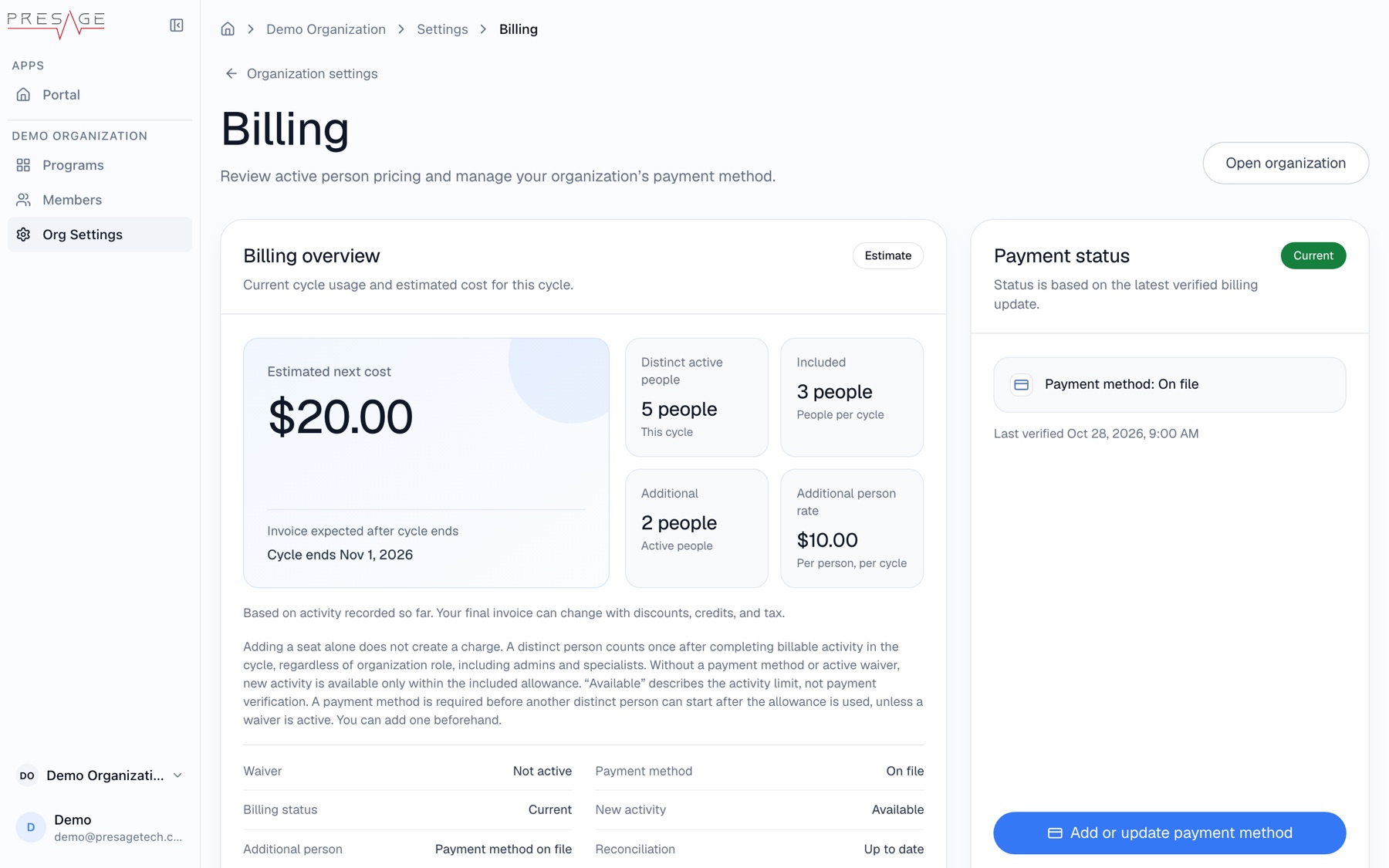
Billing overview
- Estimated next cost and when the cycle ends.
- Distinct active people this cycle, how many are Included, how many are Additional, and the Additional person rate.
- Invoice history: recent invoices and receipts.
- Manage billing: update your card or billing details in Stripe.