---
title: "Consent"
description: "Collect the consent your program needs from participants before they take part."
---
> eSSESSMENT docs. Web page: https://presagetech.com/docs/essessment/consent
> Index of all pages: https://presagetech.com/docs/essessment/llms.txt
# Consent
Your organization is responsible for collecting the consents it needs to run its protocols in Coherence. Presage's policies cover Presage, not your study.
## Your options
A Question step: put your consent text in a Question step at the start of the activity, with a checkbox set to Must be checked to continue. Participants can't continue until they agree. This isn't a formal e-signature, so check it meets your requirements.
Offline: collect consent with your existing process, such as your IRB-approved e-consent tool, before you invite people.
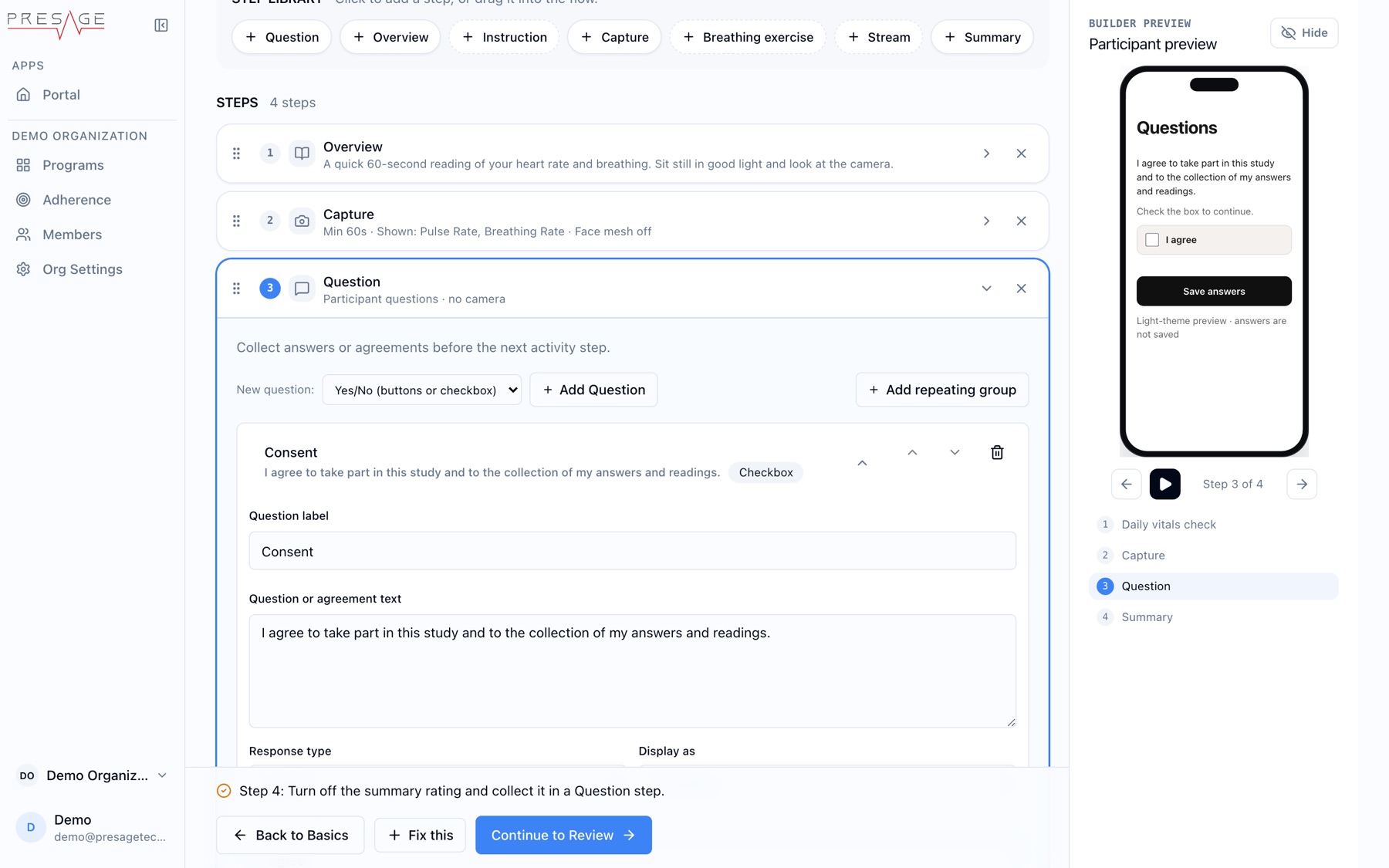
A required agreement in a Question step
## Recording consent
Coherence asks for recording consent only when an activity includes a Stream step with recording turned on. Participants read the notice, check the agreement box, and tap **Agree and start**, or **Cancel** to decline. **Agree and start** stays disabled until the box is checked.
Participants who have already accepted the current recording notice for that organization won't be asked again unless the notice changes.