---
title: "Join a program"
description: "Accept your organization's invitation, then find its programs in your Library."
---
> eSSESSMENT docs. Web page: https://presagetech.com/docs/essessment/app-join
> Index of all pages: https://presagetech.com/docs/essessment/llms.txt
# Join a program
## Accept an invitation
#### Open the invitation
Your organization sends an email: "You're invited to join … on Presage". Tap **View invitation**, then **Open in Coherence**. If you don't have the app yet, tap **Get Coherence** first.
#### Sign in with the invited email
Coherence shows who invited you and reminds you to use the invited email on the next screen.
#### Join
Tap **Join**. Joining also adds the invited programs to your Library. When you see **You're in**, tap **Continue**.
Invitations also appear on the **Programs** tab, with **Join** and **Not now**.
## Your Library
Open the **Programs** tab. **Library** lists your programs from every organization you belong to. Use the organization filter or search to narrow the list.
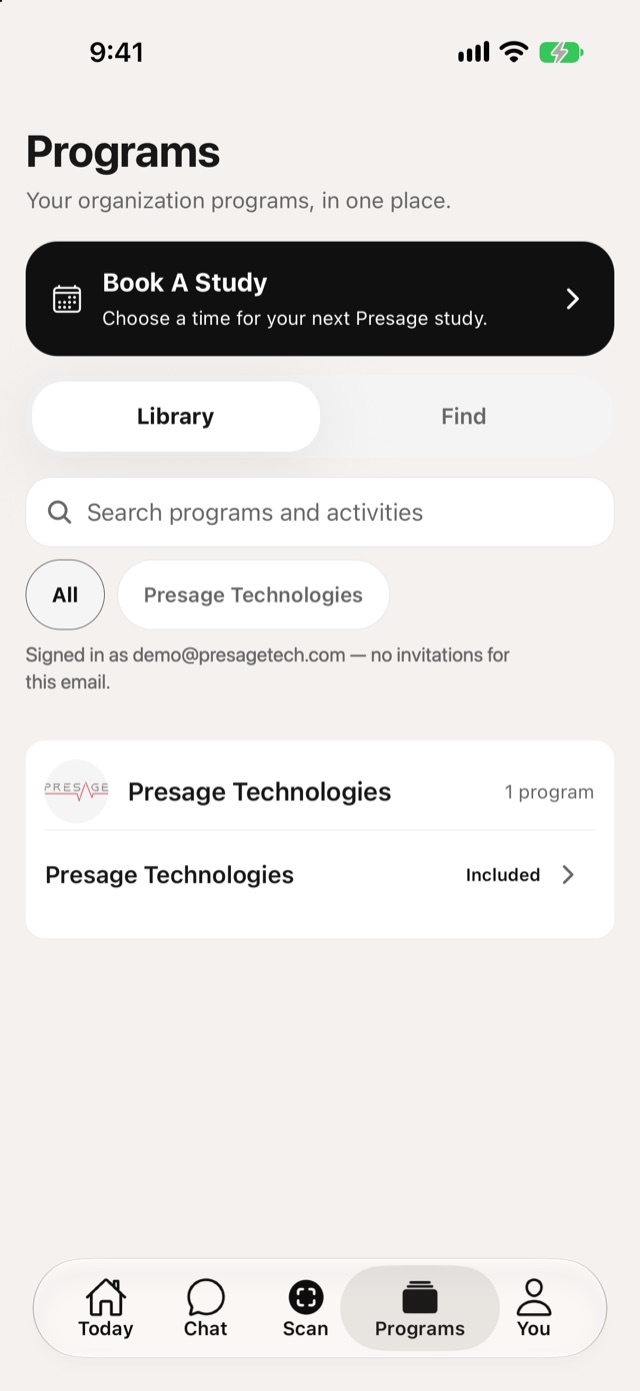
Programs › Library
Included: comes with your account.
Added: you added it yourself.
## Find more programs
Switch to **Find** to browse programs from your organizations. Tap **Add to Library** on one you want to take part in.
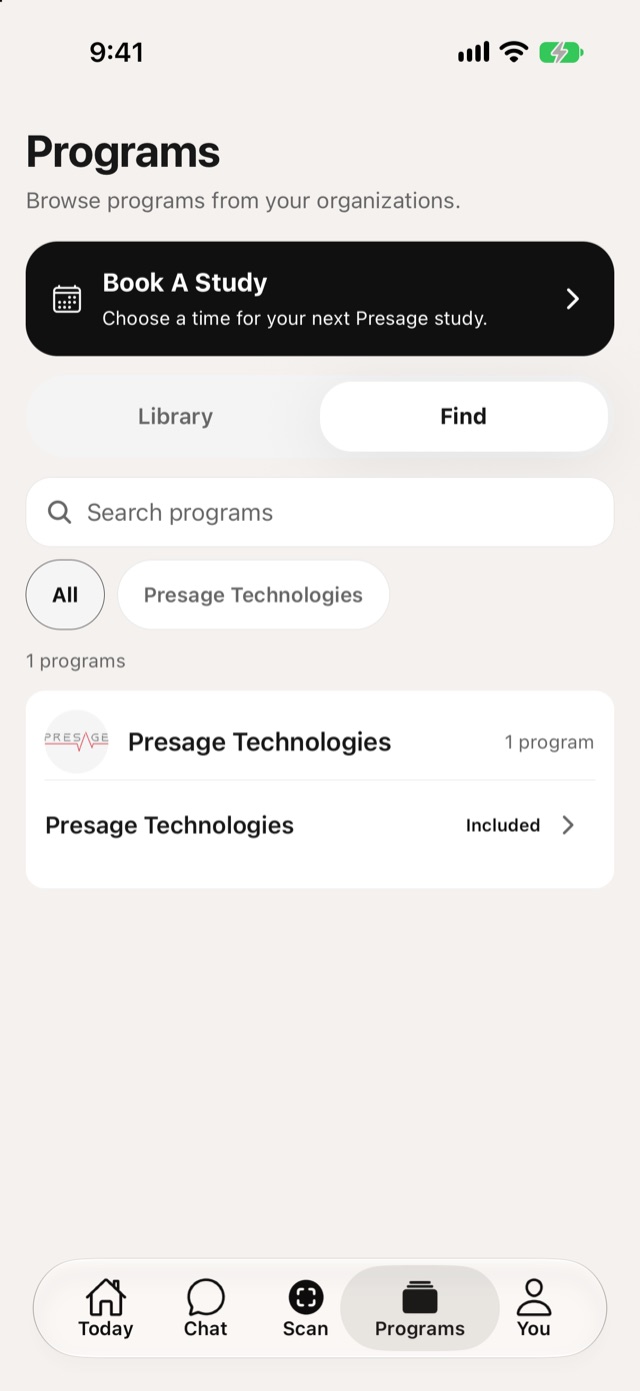
Programs › Find
## Program details
Tap a program to see its description, your access, and its activities. Tap an activity to start it.
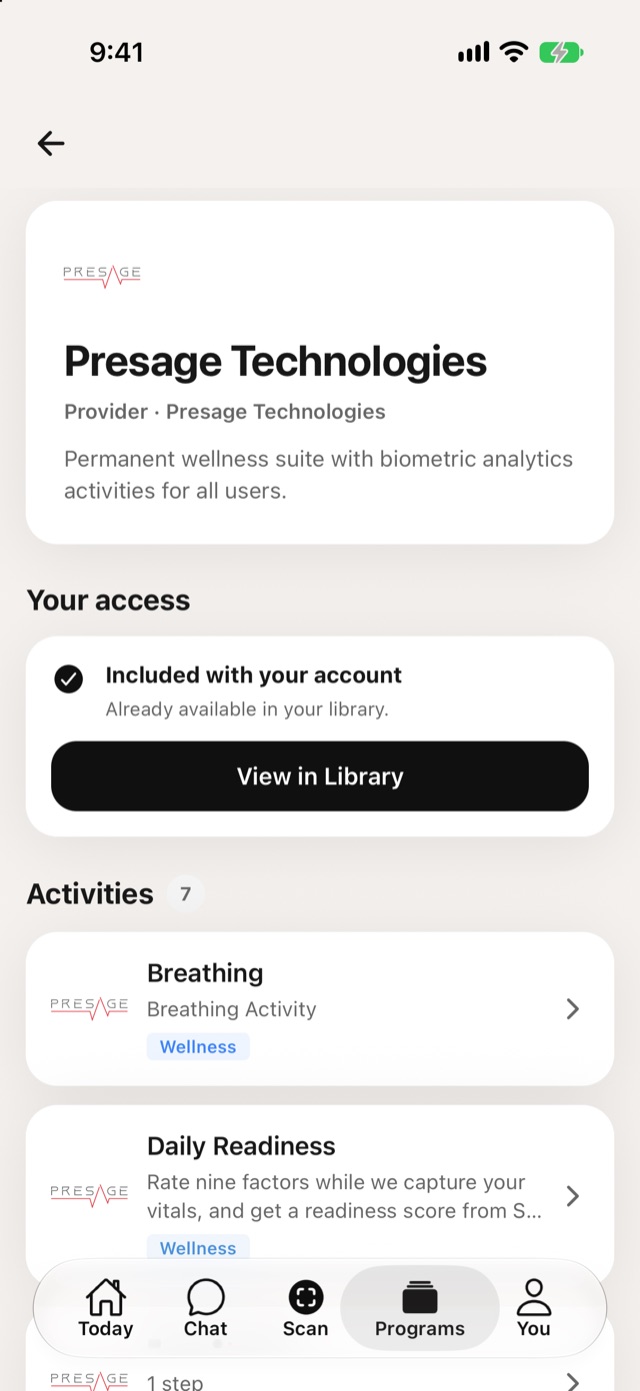
Program details
To leave a program, open it and tap **Unsubscribe from Program**.